
Body Metrics & Measurements
Under Settings > Body metrics, you can log a snapshot of your body over time.
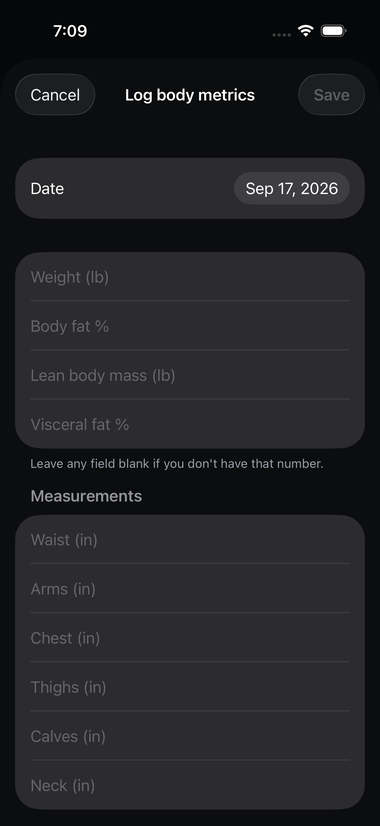
Every field is optional — the form explicitly says "leave any field blank if you don't have that number," so there's no need to guess or skip logging entirely just because you don't track everything.
What you can log#
- Weight
- Body fat %
- Lean Body Mass — your weight minus fat mass; see the Glossary if that's a new term. This is an absolute number (in pounds or kilograms), not a percentage — it matches how Apple Health itself measures it.
- Visceral fat %
- Measurements: waist, arms, chest, thighs, calves, and neck (all in inches or centimeters, per your Settings)
Each entry is timestamped by the date you choose (defaulting to today), and feeds into the body-weight trend chart and correlation reports in Reports.
Apple Health sync#
If Apple Health is connected, weight, body fat %, lean body mass, and waist readings sync both ways: entries you log in Datum are written out to Apple Health, and readings already in Apple Health — including history from before you started using Datum, say from a smart scale — are imported into Datum as real, individual entries rather than just a "latest reading" summary. See Apple Health Integration.
Measurements without a matching Apple Health type (arms, chest, thighs, calves, neck, visceral fat %) are Datum-only and stay local to the app unless you export them — see Exporting Your Data.